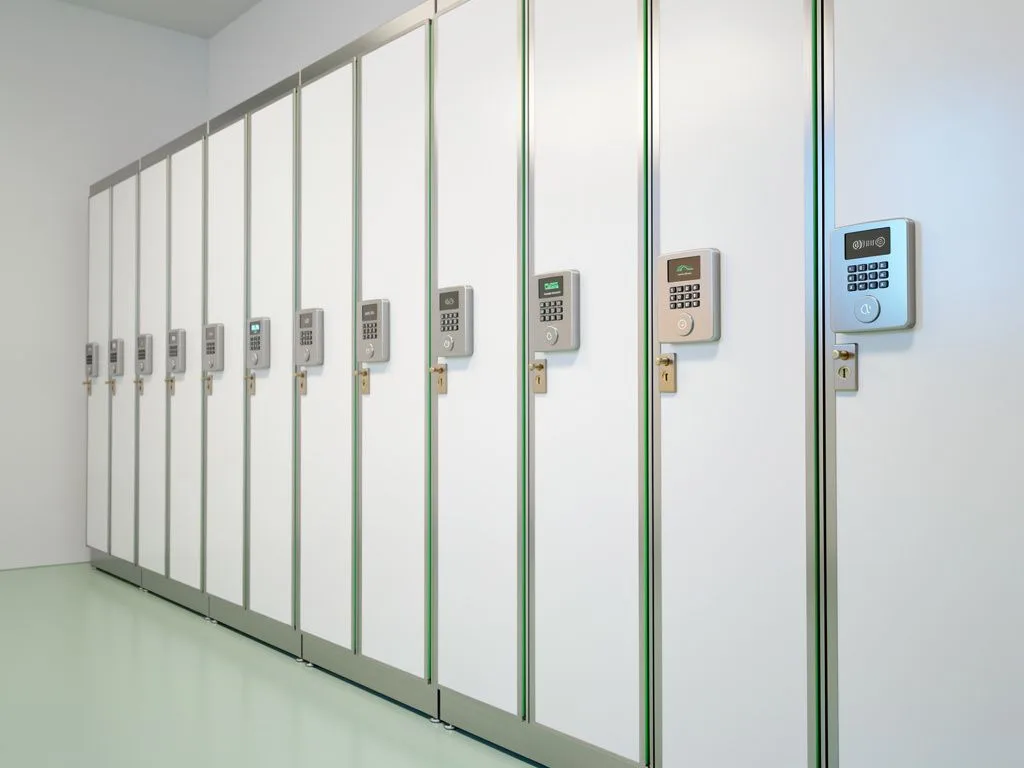
jintay-locks locker-lock-5

What to do if you forget the password on a locker lock?

When a locker lock password is forgotten, the buyer's first step should be to identify the lock type and management mechanism: mechanical combination locks are typically handled via the manufacturer's reset hole or a master key, while Bluetooth, NFC, and RFID smart locks are unlocked through backend administrator permissions or cloud records. Before purchasing, the "forgotten password handling procedure" should be a mandatory selection criterion, and buyers should confirm with the supplier whether reset tools, administrator cards, or backend APIs are provided. Jintai Industrial's OEM/ODM process can configure corresponding forgotten-password solutions for scenarios such as gyms, schools, and public spaces.
Key Takeaways

  • Lock Type Determines Reset Method

    Mechanical locks require factory reset tools or a master key; Bluetooth locks are force-unlocked by the admin app; NFC/RFID locks are overwritten with an admin card; cloud-connected locks can have passwords remotely cleared from the backend.

  • Confirm Reset Support Before Purchase

    Buyers should confirm with suppliers the availability of reset tools, admin cards, backend APIs, SOP documents, etc., and make the forgotten-password handling process a mandatory selection criterion.

  • OEM/ODM Customization Available

    The five stages—DFM, mold development, prototyping verification, testing and certification, and pre-production—can all be customized for forgotten-password handling details, with SOP and training materials required.

  • Handling Process Affects Total Cost

    Reset tools, admin cards, cloud backend licensing fees, and handling labor are all hidden expenses that should be included in quotations to avoid unexpected additional costs.

How do handling methods differ across lock types when a password is forgotten?

Different lock types require completely different handling methods when a password is forgotten—this is the most commonly overlooked detail during product selection. Mechanical combination locks typically require the manufacturer's reset tool or a master key, which on-site administrators must keep on hand to resolve the issue. Bluetooth smart locks can be forcibly unlocked and reset by an administrator via the app. NFC or RFID locks use an administrator card to overwrite user authorization. Cloud-connected smart locks can have the password record for a specific locker cleared directly from the backend. Buyers should decide which type best fits their staffing model: schools, where the general affairs office manages centrally, are better suited to backend unlocking; gyms with rotating front-desk shifts need physical reset tools or administrator cards. Before purchasing, request the supplier's standard operating procedure document for forgotten passwords to avoid disputes during on-site operations later.

What essential items should be included in the forgotten-password handling plan when purchasing locker locks?

  • Lock type and reset method comparison table

    Require the supplier to provide the forgotten-password handling steps for each lock type—mechanical, Bluetooth, NFC, and RFID—to avoid being caught without the right tools on site.

  • Administrator permission design

    Confirm whether administrator accounts or administrator cards can be set up to overwrite user passwords and force unlock.

  • Reset tools and spare parts supply

    Confirm whether the manufacturer provides reset keys, tool kits, and the lead time and minimum order quantity for spare parts replenishment.

  • Cloud backend unlocking mechanism

    If using IoT smart locks, confirm whether the backend can remotely clear the password for a single locker and leave an operation log.

  • Password changeability

    Confirm whether the lock supports batch password change mechanisms, allowing automatic reset after a user leaves.

  • Emergency unlocking SOP document

    Require the supplier to provide a standard operating procedure for forgotten passwords, including diagrams and contact points, and include it as an attachment to the purchase contract.

What should be prepared on site for mechanical combination locks when a password is forgotten?

When a mechanical combination lock password is forgotten, on-site handling depends on physical tools—a cost buyers most often underestimate. The standard approach is for the manufacturer to provide a reset key or dedicated tool that is inserted into the reset hole on the back of the lock to zero out the password and set a new one. Some models require a master key used together with the reset tool. Buyers should confirm: whether reset tools ship with each batch of locks, whether they need to be purchased separately, and whether the tool specifications are standardized (to avoid different batches of locks requiring different tools). For gym and school scenarios, the front desk or general affairs office should keep at least two reset tools on hand and maintain a tool sign-out log. Jintai Industrial's OEM process can confirm the reset hole position and tool specifications during the prototyping stage, avoiding on-site operational difficulties after mass production.

locker lock scene 1

How should administrators handle forgotten passwords on Bluetooth, NFC, and RFID smart locks?

When a password is forgotten on Bluetooth, NFC, or RFID smart locks, the recovery process depends on the administrator permission design—this is the most critical point for B2B buyers to clarify. For Bluetooth locks, an administrator typically enters management mode through a dedicated app, locates the specific locker, forces an unlock, and resets the password. For NFC and RFID locks, an administrator card can be swiped once to overwrite the user authorization. Cloud-connected models allow remote unlocking directly from the backend, with an operation log recorded. Buyers should evaluate: whether the administrator app supports multi-level permissions, whether backend operation logs can be exported, and whether there is a backup unlock method when offline. For example, in school lockers, the general affairs office and homeroom teachers may need different permission levels; in a gym, front-desk shift staff need to quickly switch administrator identities. Before purchasing, request the backend operation process and permission matrix from the supplier.
Can the forgotten-password recovery process be customized during the OEM/ODM stage?

During the OEM/ODM stage, the forgotten-password recovery process can be customized according to the scenario—this is the key design window for brand buyers. In the DFM design review stage, buyers should present scenario requirements: gyms need quick resets, schools need centralized management by the general affairs office, and industrial cabinets require dual-person verification before unlocking. The mold development stage determines the reset hole position, administrator card specifications, and app interface flow. In the prototyping and validation stage, the forgotten-password scenario must be tested to confirm administrator operation time and number of steps. In the testing and certification stage, confirm that the reset mechanism complies with local regulations. Before mass production, require the supplier to provide SOP documents and training materials. Jintai Industrial's OEM/ODM process covers these five stages, and buyers can raise detailed requirements for the forgotten-password process at each stage.

OEM/ODM Customization Process

  1. 1

    DFM Design Evaluation

    Propose scenario requirements: gyms need quick resets, schools need centralized management by the general affairs office, and industrial cabinets require dual-person verification for unlocking.

  2. 2

    Mold Development Stage

    Determine hardware and software details such as reset hole position, admin card specifications, and app interface flow.

  3. 3

    Prototyping Verification Stage

    Actually test forgotten-password scenarios to confirm administrator operation time and number of steps.

  4. 4

    Testing and Certification Stage

    Confirm that the reset mechanism complies with local regulatory requirements.

  5. 5

    Pre-Production Preparation

    Require suppliers to provide SOP documents and training materials to ensure on-site operations are dispute-free.

locker lock scene 2

Does the forgotten-password recovery process affect overall procurement costs?

The forgotten-password recovery process directly affects overall procurement costs—this is a hidden expense buyers often overlook. Mechanical locks require additional purchase of reset tools and spare keys, along with a custody system. Smart locks incur administrator app licensing fees, cloud backend annual fees, and replacement costs for administrator cards. When requesting quotes, buyers should include: unit price and minimum order quantity for reset tools, unit price for administrator cards, cloud backend licensing model (per-locker fee or one-time purchase), and average labor hours per forgotten-password incident. For example, a gym with 500 lockers may experience dozens of forgotten-password incidents per month, and both labor hours and tool wear will be reflected in the total cost of ownership. Before purchasing, request a complete quotation from the supplier to avoid additional charges later.

What clauses should be included in the procurement contract regarding forgotten-password handling?

In the procurement contract, forgotten-password handling should be explicitly included in the technical specifications and after-sales service clauses—this serves as the basis for future dispute resolution. The technical specification clause should state the lock type, reset method, administrator permission design, and cloud backend functions. The after-sales service clause should state the replenishment lead time for reset tools and administrator cards, the warranty period for the cloud backend, and the response time for forgotten-password incidents. Buyers may also consider adding clauses such as: a price cap for replacing lost reset tools, a commitment to firmware updates for the administrator app, and the data retention period for the cloud backend. For example, in school procurement, disputes often arise during administrator permission transfer at semester handover; the contract should specify the transfer process and data handover format. Jintai Industrial can provide the technical documents and SOPs required for contract annexes based on buyer needs.

FAQ

What should be prepared on-site when a mechanical combination lock password is forgotten?

When a mechanical combination lock password is forgotten, the factory reset key or special tool must be available on-site. Inserting it into the reset hole on the back of the lock resets it to zero. Some models require the master key to be used together with the reset tool. Buyers should confirm whether the reset tool is shipped with the lock, whether it needs to be purchased separately, and whether the specifications are standardized. At least two tools and a sign-out log should be maintained.

How should administrators handle forgotten passwords on Bluetooth, NFC, and RFID smart locks?

For Bluetooth locks, an administrator uses the dedicated app to locate the locker, force-unlock it, and reset the password. For NFC and RFID locks, an admin card is swiped once to overwrite user authorization. For cloud-connected models, the backend can remotely unlock and leave an operation log. Buyers should evaluate whether the admin app supports multi-level permissions, whether backend logs can be exported, and whether there is a backup unlock method for offline situations.

Can the forgotten-password handling process be customized during OEM/ODM stages?

Yes. During the DFM design evaluation stage, scenario requirements can be proposed. During mold development, the reset hole position, admin card specifications, and app interface flow are determined. During prototyping verification, forgotten-password scenarios are actually tested. During testing and certification, the reset mechanism is confirmed to comply with regulations. Before mass production, suppliers are required to provide SOP documents and training materials.

Does the forgotten-password handling process affect overall procurement costs?

Yes. Mechanical locks require additional procurement of reset tools and spare keys, along with a custody system. Smart locks incur admin app licensing fees, cloud backend annual fees, and admin card replacement costs. When requesting quotes, the unit price and minimum order quantity of reset tools, admin card unit price, cloud backend licensing model, and handling labor should all be included to avoid additional costs later.

What forgotten-password handling clauses should be included in procurement contracts?

Technical specification clauses should state the lock type, reset method, admin permission design, and cloud backend functions. After-sales service clauses should state the lead time for reset tools and admin card replenishment, the cloud backend warranty period, and the response time for forgotten-password incidents. Additional clauses can include a price cap for lost reset tool replacements, app firmware update commitments, cloud data retention periods, and a clear admin permission transfer process.

Need a forgotten password handling solution tailored to your scenario?

Please provide your lock type preference, scenario description, and estimated number of lockers. King Tai Industrial will plan a forgotten password handling solution and quotation for you according to the OEM/ODM process.